DESL Battery Container
A handbook and learning notes for the Battery Container.

Battery Container
- Control desktop PC in the container:
- IP address:
128.178.46.56 - Username:
epfl_osmose@outlook.com - Password:
osmoseEPFL+
- IP address:
- Container Control LabView Structure
- LabView → Main Control → BESS Protected Control → password:
FigaBoh
- LabView → Main Control → BESS Protected Control → password:
- Container Guide
TipContainer: How to sniff the CAN
- In the server room, turn off SRC2 by pressing and holding the
Powerbutton until the green LED turns off. (Question: shall we shut down the LabView program first?) - Switch computers to the Box PC (blue Ethernet cable, monitor cable and peripheral USB cable).
- Execute
/SRC1 From Yongjiang_V2/SRC1_Modbus.exe. Input the IP address of the string172.17.10.10X(X = 1,2,3,4,5,6,7,8,9), for string#1 to string#9, and clickInitialize. - In
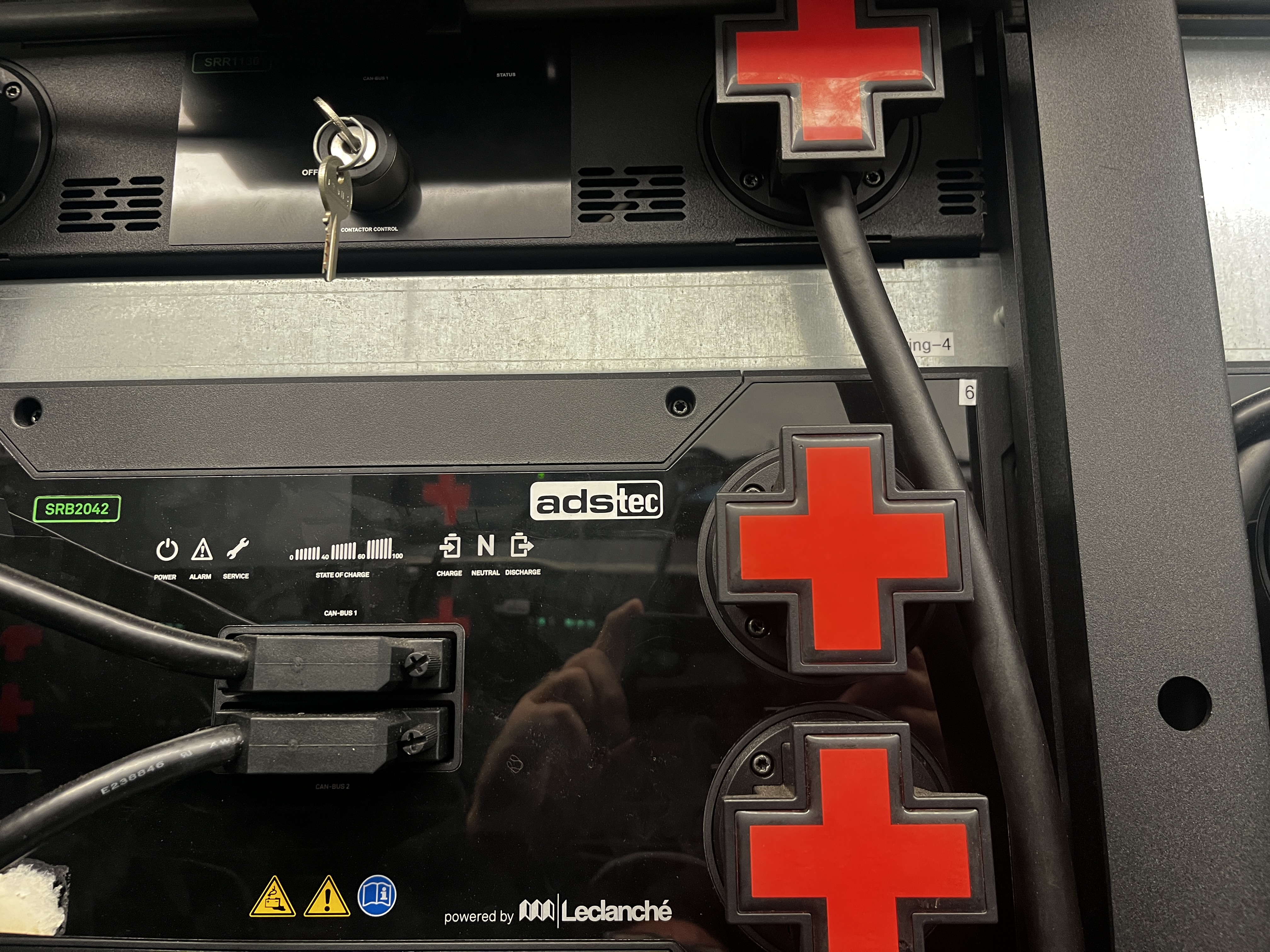
A1 Battery Modbus Tool->Contactors, clickopento open the contactor, wait for a few seconds, then clickShutdown batteryto turn off the string, check that the LED light on the string should turn off. - Insert the DB37 cable to the CAN bus between the Battery that has been shut down (like in this Figure).
- Back to the
A1 Battery Modbus Tool, Click onStartupbattery, wait for all the batteries to start up, and the status should change toReady. - For the disconnected battery, click on
prechargeto precharge before closing the contactor, until the voltage of the disconnected string reaches the value of other connected strings. Once the voltage levels are similar, click onfull charge. - Switch back to the desktop PC (blue Ethernet cable, monitor cable and peripheral USB cable), log in to the desktop, credentials see above.
- Restart SRC2 in the server room by pressing the
Powerbutton, then the green LED turns on. - Start the BESS Control VI in the desktop PC, and click
Startupto start the BESS control program. - The data should be display on Grafana, via this link. The Number of strings should be 9, but sometimes it may show 7/8 due to unknown reasons, after tens of minutes, it may recover to 9.
TipContainer: Apply for the door access
To gain the access to the container, ask Sophie to apply for the door access for you.
Door id: ELL LECL.1 (container externe) (the door on the long side of the container, facing ELL).